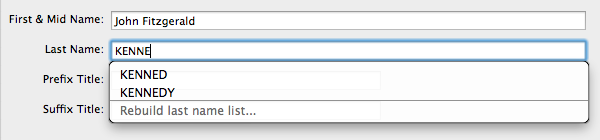
 Last name auto-completion in Reunion 10 makes it quick and easy to enter surnames consistently. It’s also common for incorrect names to make their way into the list of last names Reunion 10 uses. You may mistype the name or change a name resulting in a name being in the list, but not in your family file anymore. Either way, you’ll want Reunion to stop suggesting the name.
[Read more…] about Correcting Last Name Auto-Completion in Reunion 10
Tutorial
Hiding & Revealing the Sidebar in Reunion 10
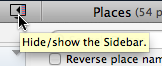 The sidebar is an important new feature of Reunion 10. It makes lists of information readily available and it can sometimes take up valuable screen space. One of the first things to learn about it is how to hide and display it as desired.
It’s handy because it automatically appears when it’s required, and not displayed.[1] That makes it tricky, since it doesn’t necessarily stay the way you put it.
It’s tricky too because by default, it changes the size of your Reunion 10 window when you hide or reveal it.
[Read more…] about Hiding & Revealing the Sidebar in Reunion 10
Finding the Relationship Between Two People with Reunion 10
Have you ever wanted to see just what the relationship is between two people in your Reunion family file? Better yet, how about seeing the connections in a chart?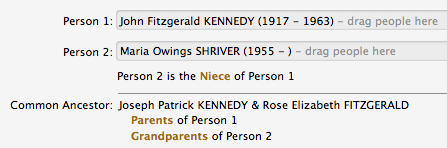
Reunion 10 let’s you do both with people who are related by blood and those related by marriage. Here’s how to do it: [Read more…] about Finding the Relationship Between Two People with Reunion 10
Tree View in Reunion 10
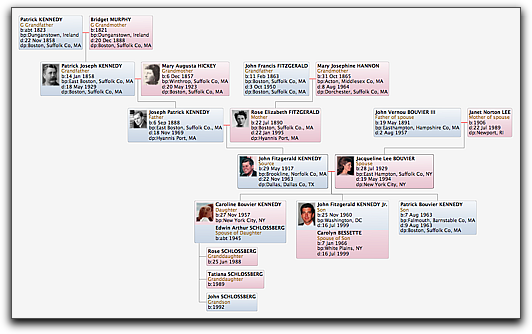
The tree view in Mac genealogy software Reunion 10 replaces the overview window from previous versions. The purpose remains the same. It’s a graphical way to navigate your family tree. It looks sharp and feels natural!
Using Reunion 10 to Search the Web
Reunion 10 will help you search common web repositories for information about people in your family file. It makes this easier on you by doing two things for you:
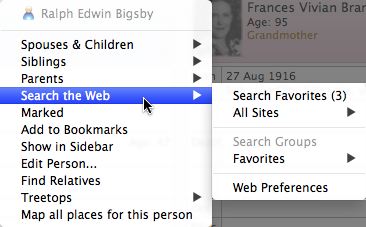 Automatically fill in some fields using information from your person record and starts the search
- Optionally checks multiple sites at once
The results are displayed in your default web browser, either in tabs or windows.
Here’s how to perform a web search in Reunion 10:
- Click the Person menu button for anyone in the family view
- Choose Search the Web -> All Sites -> [name of web resource] or Search Favorites (checkmarks indicate favorites)