Are you regularly backing up your Reunion family files? Making a backup is important for more than protecting your precious research in the event of hard drive failures and catastrophes. Be sure to make a copy of your family file before making significant changes to your family file. Reunion for Mac’s creator, Leister Productions, even recommends making a backup before you make any changes. Whether you’re that cautious or not, you’ll eventually want to make a backup. There are basically two ways to make a backup copy of a family file.
Tutorial
Family Tree Maker 2012 Overview Video
The accompanying video will show you the major elements of Family Tree Maker 2012. At its most basic, Family Tree Maker consists of the following workspaces.
- Plan
- People
- Places
- Media
- Sources
- Publish
- Web Search
The workspaces group related features. They are made up of tabbed views and panels that you use to plan, research, analyze, preserve, and share your genealogy.
This video will give you a feel for how Family Tree Maker 2012 looks and operates. This is more helpful than for other genealogy software because there’s no trial version of FTM 2012.
[Read more…] about Family Tree Maker 2012 Overview Video
Index of Individuals Report in Family Tree Maker 2012
It’s hard to believe that a report of all individuals in your tree wasn’t already in Family Tree Maker! Ancestry has corrected this oversight in FTM 2012.
Now you can print a report listing the persons in your tree. It can be all of them, but doesn’t have to be.
You can make a report listing the immediate family of a person. The selected can be changed by using the pedigree navigation bar at the top of the screen.
The index of individuals report can also be made to list selected individuals. This works just like on other reports.
The report lists individuals in rows with their name and birth, marriage, and death dates in columns.
[Read more…] about Index of Individuals Report in Family Tree Maker 2012
Add an Existing Person as a Spouse in Family Tree Maker
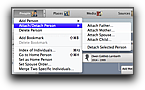 Adding a spouse in genealogy software Family Tree Maker is intuitive when it’s a person you haven’t yet added to your tree. What’s not intuitive is how to connect two people who are already in your tree. Take heart though; it’s easy once you know the trick.
The term for linking people in Family Tree Maker is attach. Without knowing that it can be difficult to find the topic in the built-in help index. Looking in the table of contents for “add spouse” will yield instructions for adding a new spouse, but not attaching one. You won’t need the built-in help though because I made a video to show you how it’s done.
[Read more…] about Add an Existing Person as a Spouse in Family Tree Maker
How to Chart a Direct Line of Descent in Family Tree Maker 2012
It’s sometimes helpful to have a chart showing an ancestor and only those descendants in a direct line of descent to another person. There is a descendant chart in genealogy software Family Tree Maker, but before FTM 2012 it included all of the descendants of the selected ancestor.
Family Tree Maker 2012 introduced an option on the descendant chart that enables you to focus the list of included descendants on just those in one line of descent.
[Read more…] about How to Chart a Direct Line of Descent in Family Tree Maker 2012