 Family Tree Maker brought you a surname report, numbering systems in the descendant report, and new report settings. It also enables you to save preferences for each report. This video is the best way to learn about all these report changes.
[Read more…] about New Report and Report Settings in Family Tree Maker 2011
descendants
New Charts and Settings in Family Tree Maker 2011
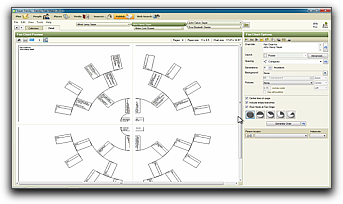 There are new fan charts and changes that affect pedigree, descendant, hourglass, and bow tie charts in Family Tree Maker 2011. See the new charts and changes in this video.
[Read more…] about New Charts and Settings in Family Tree Maker 2011
Marking Only One Branch of Your Family Tree Using Reunion for Mac
Sometimes during your genealogy research you want to create reports, charts, lists, or GEDCOM exports that include only a specific branch of your family. Reunion for Mac has a feature called mark groups that enables you to selectively mark people in your family file.
In this video I’ll walk you, step-by-step, through using this feature to mark ancestors of a specific person.
Do you have any tricks or favorite uses of marking groups? If so, please share by leaving a comment on this post.
How to Simplify Navigating Direct Lines of Descent in Reunion 9
How many times have you found youself navigating down your direct line of descent and taking a wrong turn, only to have to backtrack? There is an easy to use feature in Reunion 9 that will eliminate these wrong turns. Even if you don’t miss the turns often or at all, you’ll find this will speed up your navigation.
[Read more…] about How to Simplify Navigating Direct Lines of Descent in Reunion 9